Most "AI tools for solo founders" posts are the same ten logos in a different order. Zapier, Notion, ChatGPT, Calendly, ClickUp. None of them are bad tools. They are just not the reason a one-person business actually runs lean. Stacking five of them on top of each other is closer to productivity theater than to productivity.
Productivity theater is a dashboard you check without it changing what you do next. It is an automation that fires and adds a task instead of removing one. It is a tool you adopted because a listicle told you every solo founder needs it in 2026.
This is a different kind of list. Five categories, one tool per category, chosen because it does a job differently rather than because it is popular. Each one also names what it does not fix and who should skip it.
Jump to a category
- Why isn't all-in-one automation enough anymore?
- Why doesn't a solo founder need a CRM?
- Why wait a month for numbers you need today?
- Can one person actually handle support without burning out?
- Why doesn't a wiki connect the dots on its own?
- How should you actually build this stack?
- Frequently asked questions
Why Isn't All-in-One Automation Enough Anymore?
Reach for one of the big all-in-one automation platforms, wire up a trigger and an action and hope nothing breaks. That works fine until a step needs a human judgment call. Bolting a review step onto a tool that was not built for one usually means an email hack held together with hope.
A solo founder's actual work is full of steps that cannot run without you: a contract that needs a read before it goes out, a lead reply that needs a tone check, a refund that needs a second look. The tool that used to be the obvious answer for judgment-heavy work does not exist anymore.
This category originally pointed to Relay.app. Relay announced its shutdown in July 2026, closed new signups immediately and cut off free accounts on August 15. Paying customers keep access only until September 14, 2026, so if you built anything on it, export now. The pick below replaces it.
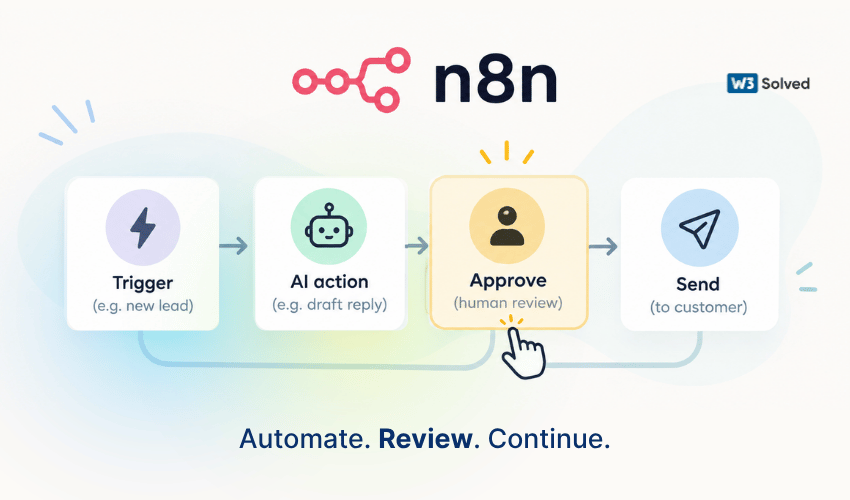
n8n builds a real pause-and-approve step into the workflow instead of treating it as an afterthought. Its Send and Wait step can hold a run until a person approves, replies or fills in a form through Slack, Gmail, Telegram or n8n's own chat. Newer builds let that same review sit directly on a single tool call inside an AI agent, so the agent can draft the action and still needs a person to approve it before anything actually sends. The Community edition is open source and free to self-host with no execution limit. The cloud plans bill per workflow run rather than per step. It's also a solid fit if part of your workload is ongoing website maintenance — you can route a flagged change through an approval step instead of pushing it live unreviewed.
The catch: self-hosting means running and maintaining your own server. The visual builder also asks more of you upfront than a drag-and-drop tool aimed at non-technical users. Budget an afternoon to get comfortable with it before you trust it with real work.
Skip it if: every step in your workflow really can run unattended or you want zero setup with no learning curve at all. A simpler no-code tool will get you there faster.
Zapier
Zapier shipped its own Request Approval step in 2026. It pauses a Zap and asks a reviewer to approve, decline or edit the data before the run continues. It is the easiest way to add a checkpoint if you already live inside Zapier and do not want to learn a second builder, though the review sits at the Zap level rather than n8n's finer per-tool approval inside an AI agent.
Why Doesn't a Solo Founder Need a CRM?
Sign up for a big-name CRM because that is what "having a CRM" means, then spend more time maintaining pipeline stages than actually following up with anyone in them.
A pipeline dashboard assumes a sales team with a process to enforce. A solo founder usually has a smaller and messier problem: a few dozen warm contacts and no reliable way to remember who needs a nudge this week without opening a spreadsheet you have not touched since March. If most of those contacts are coming in through SEO services rather than cold outreach, the tracking problem gets worse, not better — organic leads trickle in one at a time with no obvious follow-up trigger.
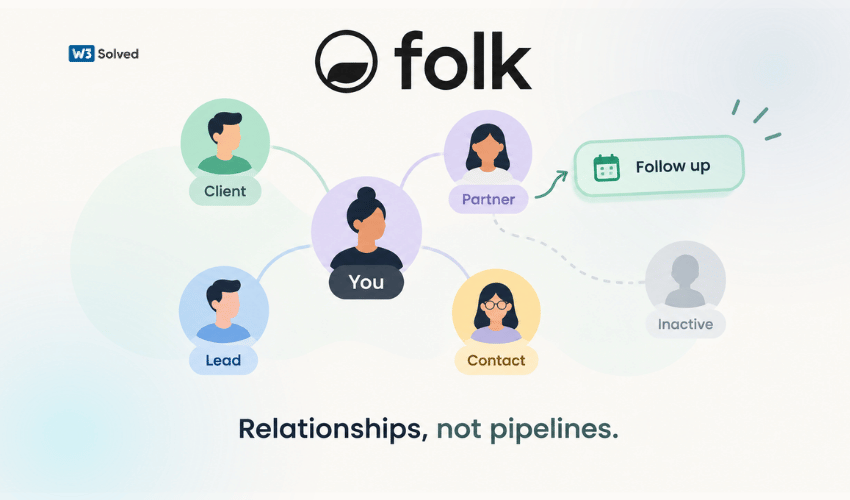
Folk sits closer to a relationship operating system than a sales pipeline. It tracks who you know, what you last talked about and who has gone quiet, then surfaces that on its own instead of requiring you to log an activity every time you send an email. Enrichment and follow-up sequences are built in, so the tool does the noticing and you do the reaching out.
The catch: there is no permanent free plan. The only free option is a 14-day trial. It defaults to the pricier Premium tier, so you are evaluating features you may not end up paying for.
If you are actually running a sales team with quota targets and forecasting needs, Folk will also feel thin. It is built for tracking relationships, not for managing a pipeline with multiple reps.
Why Wait a Month for Numbers You Need Today?
Hand bookkeeping to a service that promises to sort it out once a month, then find out a month is a long time to wait when you need to know today whether you can afford to hire.
A well-known case study here is a warning rather than a recommendation. A widely used bookkeeping service shut down abruptly in late 2024. Thousands of small business owners lost access to their own books overnight because the data lived inside a proprietary system they did not control. Whatever tool you pick, the lesson stands: real-time access to your own numbers, in a format you can export, matters more than a polished monthly PDF. The same logic applies to marketing spend — if a jump in map pack ranking is driving the calls that turn into invoices, you want to see that connection this week, not next month.
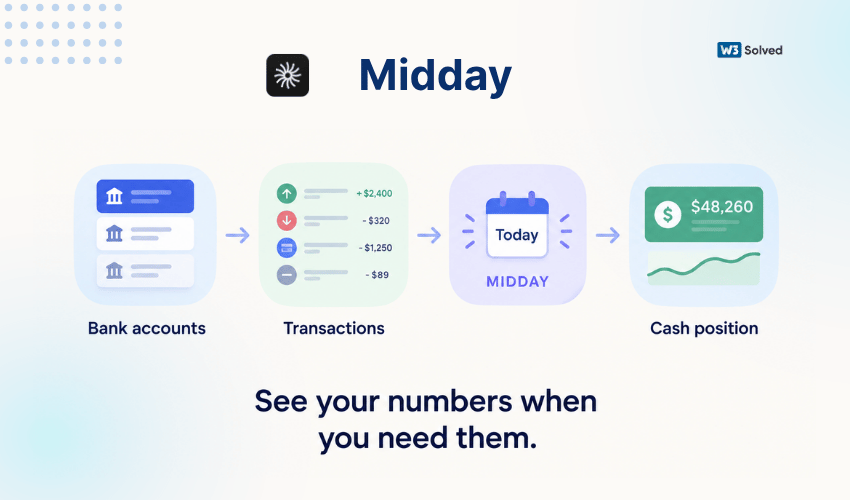
Midday is built for founders rather than for accountants, which shows up in the details. Bank feeds categorize automatically and update in real time instead of arriving as a report weeks later, invoicing and time tracking sit in the same place as the numbers they feed. Your data is exportable rather than locked into a format only one vendor can read. It is also open source, so the code itself is not going anywhere even if the hosted product's roadmap changes.
The catch: it handles day to day visibility well but is not a replacement for an accountant at tax time or for anything involving complex multi-entity structures. Keep an accountant on speed dial and use Midday for the parts a monthly service was always too slow to cover.
Wave
The genuinely free pick if Midday's price feels like more than you need. Wave's free tier covers invoicing, expense tracking, receipt capture and financial reports at no cost, which is unusual for a tool this capable. Reconciliation is more manual and there is no built-in time tracking or automatic AI categorization, so you trade the real-time polish for the zero price tag.
Can One Person Actually Handle Support Without Burning Out?
Install an enterprise help desk because every "best support tool" list says to, then discover the pricing and setup were built for a support team of ten, not a founder answering tickets between everything else.
Enterprise help desks are strong at routing, SLA management and multi-channel aggregation. A solo founder rarely needs any of that on day one. What is actually needed is something that resolves the repetitive questions on its own and gets out of the way for everything else — including the newer wave of questions that arrive once your AI visibility starts pulling in people who found you through an AI answer instead of a normal search result.
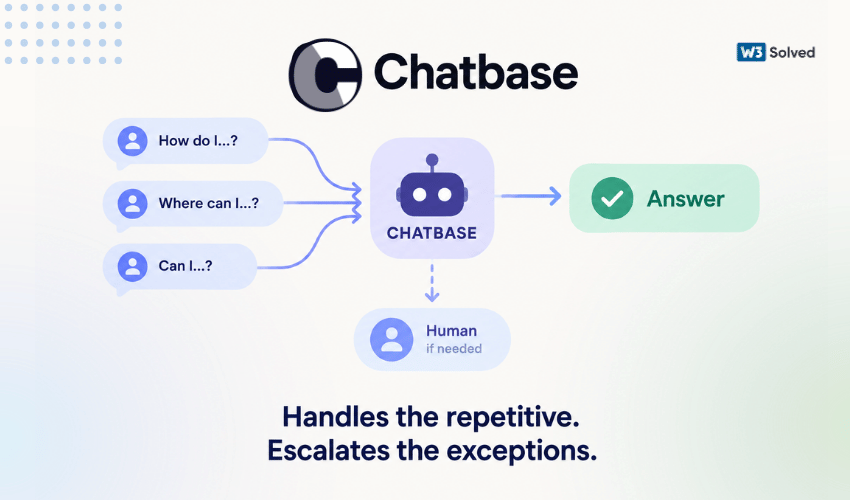
Chatbase is worth mentioning partly for how it was built. It has crossed eight figures in annual revenue with a lean team and no outside funding, largely by keeping the product radically self-serve rather than selling implementation projects. Feed it your help docs and past conversations, drop the widget on your site. It starts answering the questions that repeat every week without a setup call.
The catch: auto-retraining is gated to paid tiers, so on the entry plan you are manually retraining when answers drift. Reviewers also note the occasional confidently wrong answer that still needs a human to catch. Treat it as a first line of defense, not a full replacement for reading your own tickets.
eesel AI
The better fit if switching help desks is not on the table. It layers AI resolution on top of the help desk you already run. It will simulate results against your own historical tickets before you pay, so you know the resolution rate ahead of time. Billing lands per ticket touched regardless of the answer's quality, so a wave of low value contacts costs the same as a wave of good ones.
Why Doesn't a Wiki Connect the Dots on Its Own?
Build an ever-growing wiki workspace, then realize every page only connects to another page because you manually linked it. The system only knows what you remembered to type in.
A page-based wiki is excellent for writing and organizing. It waits for you to author the structure and rarely surfaces a connection you did not already know to look for.
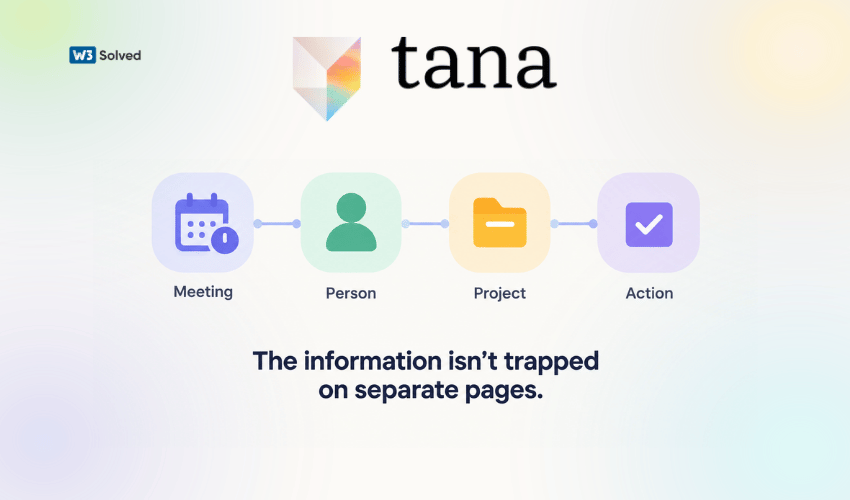
Tana treats every note as a tagged, queryable node rather than a static page, which means a meeting note, a contact and a project can all reference each other automatically instead of through a manual link. Its meeting agent transcribes calls, pulls out action items and links them straight to the right contact. Enough founders use its tagging system as a lightweight client tracker that it can cover a rough version of a CRM for a handful of active relationships.
The catch: the supertag model takes real days to click, not minutes. It is also not a visual project tracker or an email client. If you mostly use a wiki as a simple notebook today, switching will feel like more tool than you need.
How Should You Actually Build This Stack?
Not all five tools are needed on day one. Add each one when the pain it solves actually shows up rather than before. The same restraint applies if you're running SEO marketing across a few different markets: add a dedicated tracking layer once managing it from memory starts breaking down, not before.
| Tool | Add it when | Not when |
|---|---|---|
| n8n | An automation needs a human sign-off before it runs | Every step in the workflow can run unattended |
| Folk | You are losing track of who needs a follow-up | You are running an actual sales pipeline with reps |
| Midday | Monthly bookkeeping feels too slow to plan around | Your books already involve multiple entities |
| Chatbase | The same five questions repeat every week | Your support volume is genuinely complex or low |
| Tana | Notes and contacts keep going stale in your wiki | You need visual project tracking, not notes |
None of these five tools are the newest thing on Product Hunt this week. That is somewhat the point. Each one has a specific job, a real limitation and a use case where the popular default genuinely falls short. That is a higher bar than "has AI in the name," and it is the only bar worth using when the tool is going to sit in a one-person business with no one else to catch its mistakes.
Sources and further reading
- n8n documentation: Human-in-the-loop for AI tool calls, on how the approval step attaches to individual agent actions
- Zapier help center: Request approval with Human in the Loop, Zapier's own native approval step
- Relay.app shutdown deadlines and data export, the dates that matter if you still have workflows on Relay
- Tana pricing, current free and paid tiers, since Tana's plans have shifted more than once this year
Frequently Asked Questions
Do solo founders actually need five separate tools?
+No. That is the wrong way to read this list. Each tool solves a specific pain point, so the right move is to add one only once its particular problem shows up rather than adopting all five at once.
What makes a tool a gem instead of just another popular option?
+A gem does a job a popular default handles poorly for a solo founder's specific situation. It is honest about what it does not fix rather than pretending to replace an entire department.
Should a solo founder still use the big all-purpose defaults at all?
+Often yes for parts of the job they are genuinely good at, such as simple unattended automations or a straightforward team wiki. The point is not to avoid popular tools on principle, it is to notice when a specific need has outgrown them.
Is self-hosting a tool like n8n actually worth it for one person?
+Only if someone on the team, even if that team is one person, is genuinely comfortable with basic server upkeep. The subscription savings are real. The hours spent debugging a broken instance at an inconvenient time can quietly outweigh them, though.
How do you know when the popular tool is still the right choice?
+When the workflow genuinely does not need a human judgment call, when there is more than one person relying on the tool day to day or when the sheer breadth of integrations matters more than depth in any single one. All three point back to the big all-purpose platforms rather than away from them.
Should you switch the moment a better alternative shows up?
+No. Switching has a real cost in setup time and lost muscle memory, so it is only worth it once the pain from the current tool is clearly bigger than the cost of moving. A slightly better tool is rarely worth the disruption on its own. A tool shutting down without notice, the way Relay.app did, is the one exception where waiting is not really a choice.